How Enockgains Works: Boost Your Social Media in Just a Few Steps
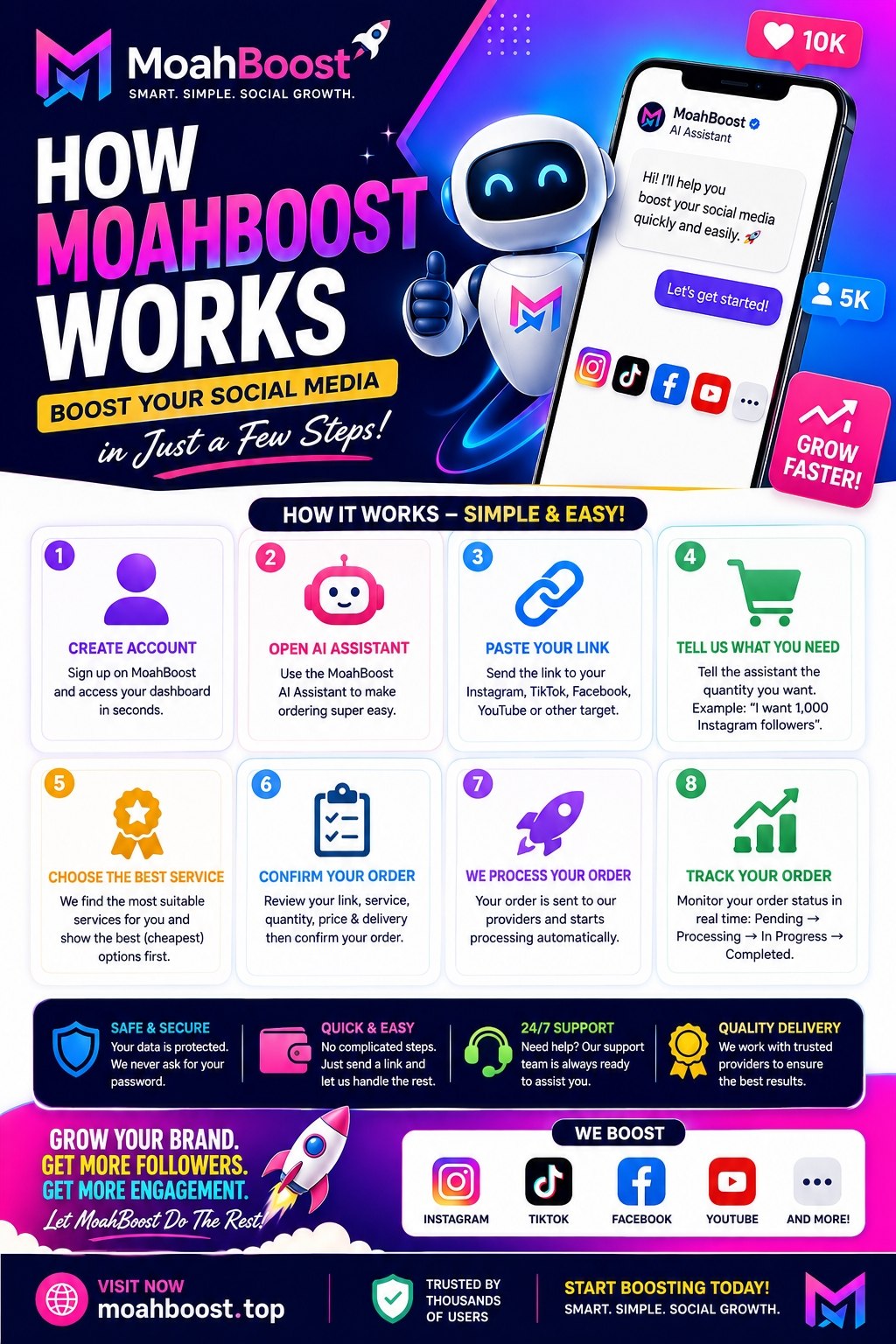
How Enockgains Works: Boost Your Social Media in Just a Few Steps
Growing your social media presence doesn't have to be complicated.
With Enockgains, you can order social media services quickly and easily without spending time searching through hundreds of services manually. Our AI Assistant can help you find a suitable service and guide you through the ordering process.
🚀 How Enockgains Works
1. Create Your Enockgains Account
Start by creating an account on Enockgains.
Once your account is ready, you can access your dashboard, wallet, services, orders, and the Enockgains AI Assistant.
2. Open the Enockgains AI Assistant
Instead of manually searching through the service list, you can use the Enockgains AI Assistant to help you place an order.
The assistant is designed to make ordering easier, especially for new users.
3. Paste Your Social Media Link
Simply send the link you want to boost.
For example:
- Instagram profile or post
- TikTok video or profile
- Facebook page or post
- YouTube video or channel
- And other supported social media targets
The AI Assistant can identify the type of target you provided and look for compatible services.
4. Tell the Assistant What You Need
Tell the assistant how much you want.
For example:
"I want 1,000 Instagram followers."
or
"I need 5,000 TikTok views."
The assistant will help match your request with an available service.
5. Choose the Suitable Service
Enockgains can help you find compatible services instead of forcing you to search through the entire service catalog.
Where multiple suitable services are available, the system can prioritize lower-cost compatible options according to the available service information.
You can also browse the full service list manually whenever you prefer.
6. Confirm Your Order
Before placing your order, review the:
- Target link
- Service
- Quantity
- Price
- Estimated delivery information
If everything looks correct, confirm the order.
7. Your Order Is Processed
After your order is placed, Enockgains sends it for processing through the appropriate service provider.
You don't need to keep placing the same order manually.
You can monitor your order from your Enockgains dashboard.
8. Track Your Order
Your order status can be checked from your account.
Depending on the service, you may see statuses such as:
Pending → Processing → In Progress → Completed
If there is a problem with your order, Enockgains also provides support options to help you.
🤖 What Makes the Enockgains AI Assistant Different?
The goal of the AI Assistant is simple:
Make ordering easier.
Instead of asking a new user to understand complicated service IDs, categories, provider names, and technical details, the assistant can guide them using normal conversation.
For example:
You: > "I want 2,000 Facebook followers."
Enockgains AI: > "Sure! Send me your Facebook profile or page link."
You send the link, and the assistant continues guiding you through the order.
💳 Keep Your Wallet Ready
Before placing an order, make sure your Enockgains wallet has enough balance to cover the order.
You can deposit funds through the available payment methods shown on the platform.
Once your balance is available, you can use it to place orders quickly.
🛠️ Need Help With an Order?
Enockgains is also designed to help when something doesn't go as expected.
Depending on the situation, you can get assistance with issues such as:
- Delayed orders
- Order status
- Cancellations
- Refund requests
- Refills
- Other order problems
For issues that require human assistance, you can use the support system to create a ticket and explain your problem.
🔒 Stay Safe
Never provide your social media password to place a Enockgains order.
For supported services, you normally only need to provide the required target information, such as the public URL.
Always make sure you are ordering for the correct profile, page, post, video, or other target before confirming.
🌐 Start Using Enockgains
Ready to grow? Create your account and start boosting your social media today.
🌐 Who Is Enockgains For?
Whether you'''re a creator, business owner, influencer, marketer, or someone looking to grow a social media presence, Enockgains makes the ordering process simple.
Paste your link. Tell us what you need. Let Enockgains help you find the right service.
👉 Visit Enockgains and experience a simpler way to order social media services.
Enockgains — Smart. Simple. Social Growth.